No. Degaussing can erase data on compatible magnetic media, such as certain hard disk drives and tapes. A solid-state drive stores data in flash memory, so passing it through a degausser leaves its data unsanitised. If you’re clearing out a mix of drives, identify the SSDs before processing the batch and give them a separate route. National Cyber Security Centre
The next step depends on what will happen to each drive. A working SSD that’s staying within the organisation may be suitable for reuse after an approved sanitisation process. A failed SSD, or one that held sensitive information and is leaving your control, may need different handling. The decision starts with the media type, the data it held and your organisation’s disposal policy. National Cyber Security Centre
Why does degaussing work on an HDD but not an SSD?
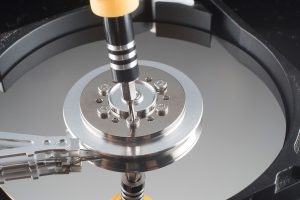
A magnetic hard disk drive stores data on spinning platters. A suitable degausser produces a magnetic field that disrupts the patterns used to store that data. The equipment must be suitable for the specific media. The National Cyber Security Centre (NCSC) notes that degaussers vary in strength and that some hard drive technologies need different capabilities. National Cyber Security Centre
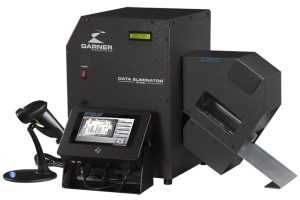
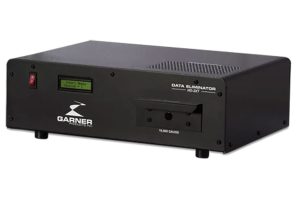
An SSD stores information electronically in flash memory chips. It can serve the same purpose as a magnetic hard drive in a computer, and some SSDs even use a similar-looking casing, but the storage technology is different. Varese Secure’s Garner TS-1XTE is designed for compatible magnetic hard drives and tapes. If your team already uses it to handle retired HDDs, the SSDs need to be identified and taken out of that batch before it reaches the degausser. varese-secure.co.uk
How do you identify SSDs in a mixed batch?
Start with the asset register or the computer’s build records while the device can still be identified. Once a drive has been removed, use its label and model number to check the manufacturer’s specification. A register entry that simply says “500 GB hard drive” leaves the storage type uncertain. Capacity and casing size tell you too little to choose a sanitisation method.
Imagine a UK business replacing 40 office computers. The original specification lists magnetic drives, but several machines had SSDs fitted during repairs. If the IT team works from the original order alone, it could send the replacement SSDs through the same process as the HDDs. Checking the drive model at removal catches that difference. Keep any drive you can’t identify in a separate, clearly marked group until someone can confirm what it is.
Also check whether the item you’re moving is a loose drive or a complete device. A server may contain several storage devices, and the equipment register may track the server as a single asset. Decide which storage items need their own records before they’re removed. It’s easier to preserve the connection to the parent asset at that point than to reconstruct it from a tray of loose drives later.
How does the SSD’s destination affect the choice of method?
If the drive is being reused
Check the manufacturer’s sanitisation guidance for the model and confirm which methods your organisation approves. Deleting files, reinstalling the operating system or seeing an empty drive in the file browser gives you limited information about the underlying storage. The NCSC points out that remapped areas and bad sectors can leave data on a device even when a process addresses the storage the system can normally access. Check what your chosen process can verify and what you’ll do if a drive fails verification. National Cyber Security Centre
If the drive is leaving your control
An SSD being sold, donated, returned to a leasing provider or sent for repair may need a different decision from one being redeployed internally. Check what data the drive held, whether your policy permits the transfer and what evidence it requires. If a warranty or lease expects the drive back, raise that requirement before choosing physical destruction. Your organisation may need to resolve the return terms before releasing the device.
If the drive is being physically destroyed
Check that the equipment is designed for the SSD formats you handle and that its output meets your organisation’s destruction requirements. Varese Secure’s FLASHPRO Solid-State Destroyer is an example of equipment designed to process SSDs and other solid-state media. Varese also lists an optional IRONCLAD configuration that captures images before shredding and generates reports. Check whether you need that configuration as part of the job. Varese Secure
What should you do with a failed SSD?
Treat it as data-bearing while you decide what to do. A drive that stops appearing in a computer may have a fault that prevents normal access while data remains in the flash memory. If the drive won’t respond, the usual sanitisation tool may be unable to run or confirm the result. Record the failed attempt and follow your organisation’s procedure for media that can’t be sanitised or verified through the normal route. National Cyber Security Centre
For example, a failed SSD might be marked “ready to return” on a repair ticket while the IT asset register still shows sanitisation as pending. Resolve that discrepancy before dispatch. The repair team needs to know whether the SSD can be released, and the person responsible for disposal needs a record of the final decision.
What should your disposal record show?
Record the asset ID or drive serial number, the media type, the method used, the outcome and any exceptions. Where a third party processes the drives, decide in advance whether you need records for individual serial numbers or a report covering the batch. Match the evidence you receive against the list of items handed over before closing the job. National Cyber Security Centre
That distinction matters if 30 drives leave your site and the provider reports that 29 were processed. With a reconciled record, you can identify the outstanding drive and check whether it was held back, mislabelled or processed later. Give unresolved items their own status so the batch can’t be mistaken for complete.
Frequently asked questions
Can you degauss an encrypted SSD?
Degaussing still has no sanitising effect on the flash memory. In some circumstances, cryptographic erase may be suitable, but that depends on how encryption was implemented and whether the relevant keys can be reliably sanitised. Check that your organisation approves the method for that device and its intended destination. National Cyber Security Centre
What about a hybrid hard drive?
A hybrid drive can contain both magnetic storage and flash memory. Check the model and make sure the chosen process addresses both types of storage. If the device specifications or your approved procedure leave either part unaccounted for, keep the drive aside until you have a route for the whole device. National Cyber Security Centre
Before your next equipment refresh
Build the media check into the point where devices are taken out of service. Record what each drive is, decide where it’s going and agree what evidence will let you close the job. If SSDs are already sitting in a batch marked for degaussing, pull them out and assign them a suitable process before the batch moves on.
If you’re assessing equipment for a mix of SSDs, magnetic hard drives and tapes, send Varese Secure your media types, typical volumes and reporting requirements. We can help you work out which equipment fits each part of the job.
Phone 01489 854 131
Email admin@varese-secure.co.uk
Find out more Varese Secure
-
PD5E Hard Drive vs Shredders: Which Offers Better Security and Speed?
As data protection regulations tighten, UK businesses are under more pressure than ever to securely dispose of end-of-life data storage. While shredders have traditionally dominated the market for physical media destruction, newer solutions like the…
-
How the HD-2XTE Compact Degausser Guarantees Secure Data Erasure for UK Businesses
In today’s data-sensitive landscape, businesses across the UK must ensure that all confidential and sensitive data is disposed of securely and permanently. For organisations relying on magnetic media, the HD-2XTE Compact Degausser stands out as…
-
Degaussing Explained: The Secure Way to Destroy Data Permanently
In a world increasingly governed by data, secure disposal of sensitive information is more critical than ever. Degaussing offers one of the most reliable and irreversible methods of data destruction available today. Whether you’re dealing…