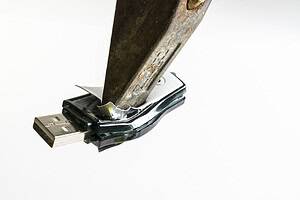
No. Simply deleting files or performing a standard reformat should not normally be treated as secure data destruction.
Those actions may remove files from ordinary view or recreate the drive’s file system, but they do not necessarily ensure that the underlying information can no longer be recovered.
The National Cyber Security Centre states clearly that simply pressing the Delete key is not sufficient for media containing sensitive business information. It defines sanitisation as treating stored data so that the likelihood of retrieval and reconstruction is reduced to an acceptable level.
The ICO makes a similar distinction. Its guidance states that reformatting media is not, by itself, sufficient to securely delete data because information may remain recoverable using readily available software.
For organisations disposing of old IT equipment, the important question is therefore not whether a drive appears empty. It is whether the chosen process has actually made access to the information infeasible to the level required.
What happens when you delete a file?
Deleting a file does not necessarily cause every part of its data to be immediately erased from the storage device.
In many systems, deletion primarily removes or alters the file-system information that tells the operating system where the file is located. The space may then be marked as available for future use.
Until that storage area is overwritten or otherwise sanitised, some or all of the original information may remain recoverable.
This is why moving a document to the Recycle Bin and emptying it should not be confused with securely destroying the underlying data.
The ICO notes that digital systems can retain deleted information until the relevant storage space is replaced or overwritten, and recommends using appropriate secure-deletion methods where information needs to be permanently removed.
For day-to-day housekeeping, ordinary deletion may be perfectly appropriate.
For disposal of a drive that previously held sensitive information, it is a different matter.
What does formatting a drive actually do?
Formatting prepares storage media for use by creating or recreating the structures required by the file system.
What happens to the existing data depends partly on the type of format performed and the storage technology involved.
A quick format, for example, generally does not systematically overwrite every area containing previous information. It mainly reconstructs the file-system structures needed for the drive to operate.
That can make the drive appear empty to an ordinary user even though recoverable information remains underneath.
The ICO specifically warns that a reformat alone is not sufficient for secure deletion and states that the data may be recoverable using freely available tools.
This illustrates an important security principle:
A drive looking empty is not the same as a drive being sanitised.
Can files be recovered after formatting?
Potentially, yes.
The likelihood depends on factors including:
- the type of format carried out;
- the storage technology;
- whether subsequent data has overwritten the original information;
- the condition of the device;
- the tools and expertise available to whoever attempts recovery.
The purpose of secure sanitisation is to remove that uncertainty to an acceptable level.
Current NIST guidance defines media sanitisation as rendering access to target data infeasible for a given level of effort.
That is a more useful security benchmark than simply asking whether an ordinary employee can still see the old files.
A compliance team should therefore avoid approving a disposal process solely because a drive has been reformatted or appears blank when connected to a computer.
What is the difference between deletion and sanitisation?
Deletion is primarily an information-management action.
Sanitisation is a security process.
If an employee deletes an old spreadsheet because it is no longer required, the immediate objective may simply be to remove it from the normal working environment.
If the laptop containing that spreadsheet is about to leave the organisation, the requirement changes.
The organisation now needs reasonable assurance that someone receiving the equipment cannot recover information that should remain confidential.
The NCSC advises organisations to sanitise media that has stored sensitive business data before it leaves organisational control. It identifies reuse, resale, repair and disposal as situations where sanitisation may be required.
This distinction is important because an otherwise sensible records-retention process does not automatically provide an appropriate hardware-disposal process.
Does emptying the Recycle Bin securely remove files?
No.
Emptying the Recycle Bin generally removes the convenient operating-system route to restoring the file, but it should not be treated as a secure media-sanitisation method.
Information can potentially remain within storage areas until it is overwritten or otherwise securely processed.
The same principle applies to other forms of ordinary deletion.
For example, removing:
- documents;
- email archives;
- exported customer data;
- database files;
- downloaded reports;
does not automatically prove that all underlying copies have disappeared from the device.
There may also be temporary files, application caches, backups, previous versions or other copies elsewhere on the system.
This is another reason secure disposal should consider the whole device rather than relying on employees manually deleting individual folders before hardware is removed.
Is a factory reset enough?
A factory reset can be useful in some circumstances, but it should not automatically be treated as equivalent to a verified media-sanitisation process.
The effectiveness depends on the device, how the reset works, the storage architecture and the assurance level required.
The NCSC distinguishes ordinary device-erasure procedures from higher-assurance secure sanitisation. It notes that common erasure approaches may prevent almost everyone from recovering data but may not guarantee that specialist recovery is impossible in every circumstance.
For relatively low-risk reuse situations, a manufacturer-approved reset may sometimes form part of an appropriate process.
For equipment containing sensitive business, personal, financial or regulated information, organisations should assess whether stronger assurance is required.
Does secure erasure work the same way on HDDs and SSDs?
No.
This is one of the main reasons organisations should identify the storage technology before deciding how to sanitise it.
Traditional hard disk drives store information magnetically.
SSDs store information in flash memory and manage storage internally through their controller.
Those architectural differences can affect which sanitisation methods are appropriate.
For example, magnetic hard drives may be suitable for correctly specified degaussing.
SSDs are not.
The NCSC also warns that SSDs can be difficult to sanitise reliably and advises organisations to consider destruction depending on the security requirement.
A blanket instruction such as “format every drive before disposal” therefore fails to account for important differences between storage technologies.
Why can overwriting be more complicated on SSDs?
With traditional magnetic storage, overwriting has historically been used as one method of replacing previously stored information.
SSDs behave differently.
Their controllers may use techniques such as wear levelling, remapping and spare storage areas. This means that the storage locations visible to the operating system do not necessarily correspond directly with every physical flash-memory location that has held data.
A software process that appears to overwrite all visible logical storage therefore needs to be assessed carefully rather than assumed to have reached every relevant physical location.
This is especially important for compliance teams deciding whether a particular erasure method is appropriate.
The correct process should be based on the characteristics of the storage media rather than on a generic instruction applied to every device.
What methods can be used instead of ordinary deletion?
The appropriate method depends on the media, the sensitivity of the data and what will happen to the equipment afterwards.
The ICO identifies secure approaches including device wiping, degaussing and hardware shredding.
These methods serve different purposes.
Secure wiping
A suitable sanitisation procedure may allow storage media to be reused while making previous information sufficiently difficult to recover.
The technique needs to be appropriate for the underlying technology and should ideally be supported by evidence that the process completed successfully.
Degaussing
Degaussing uses a powerful magnetic field to sanitise compatible magnetic storage media.
It can be appropriate for certain hard disk drives and magnetic tapes but is unsuitable for non-magnetic flash storage such as SSDs.
Physical destruction
Physical destruction may be appropriate when the equipment will not be reused or where sufficiently reliable logical sanitisation cannot be completed.
The destruction method must address the actual data-bearing components rather than simply making the outer device unusable.
The objective in each case is the same: select a method that provides an appropriate level of assurance for the information involved.
Should a business wipe a drive before sending it to a destruction provider?
Where practical, organisations may choose to sanitise equipment before it leaves their direct control, even where a specialist provider will subsequently destroy it.
Whether this is required depends on the process and the organisation’s risk assessment.
The ICO advises organisations using third parties to check their disposal processes, contracts and security controls and to obtain evidence that secure destruction actually occurred.
The NCSC similarly advises that sensitive media should be sanitised before leaving organisational control where appropriate.
However, some organisations specifically use secure collection and controlled destruction because internal sanitisation is not practical.
In those situations, secure storage, transfer controls, chain of custody and appropriate destruction evidence become particularly important.
What if the drive is going to be reused internally?
Internal reuse does not automatically mean sanitisation can be ignored.
The question is whether the next user should be able to access information belonging to the previous user or purpose.
For example, a drive moving between two teams within the same organisation may still contain:
- HR information;
- financial records;
- customer information;
- passwords or authentication material;
- commercially sensitive project data.
The NCSC explicitly identifies internal reuse as a situation where storage-media sanitisation may be required.
The sanitisation method can differ from the method used for permanent disposal because the organisation may want to retain the equipment.
The security requirement remains: information belonging to the previous use should not remain recoverable by the next user where that would create an unacceptable risk.
What if the drive is being returned for repair or warranty replacement?
This is another situation where ordinary deletion can create a false sense of security.
A failed or partially working drive may still hold substantial amounts of information when it is returned to a manufacturer.
If the organisation cannot perform reliable sanitisation because of the fault, it needs to consider the risk of releasing the device intact.
The NCSC specifically identifies repair as one of the circumstances where media sanitisation should be considered before equipment leaves organisational control.
For highly sensitive storage, the value of a warranty replacement may need to be weighed against the risk associated with releasing potentially recoverable data.
What should businesses record when drives are sanitised?
A secure process should produce evidence appropriate to the organisation’s risks.
Depending on the method, records might identify:
- the asset or media processed;
- the sanitisation or destruction method;
- the processing date;
- whether the operation completed successfully;
- any exceptions or failures;
- the person or provider responsible;
- supporting destruction documentation.
The ICO recommends maintaining destruction logs and obtaining evidence of secure disposal where third-party providers are used.
This helps move the organisation from saying:
“We normally wipe old drives”
to being able to demonstrate:
“This asset went through our approved sanitisation or destruction process.”
That distinction is important during audits and investigations.
What happens if a drive cannot be securely erased?
A failed drive should not simply bypass the disposal process because software sanitisation is no longer possible.
If a drive cannot reliably complete the approved erasure process, the organisation should treat that as an exception requiring a different method.
Depending on the storage technology and sensitivity involved, secure physical destruction may be appropriate.
This is especially important for damaged SSDs, where device failure may prevent logical sanitisation while flash memory still contains recoverable information.
The underlying rule is straightforward:
Failure to access the data is not proof that the data has been destroyed.
Frequently Asked Questions
Is quick formatting enough before selling a computer?
It should not be relied upon as secure deletion. The ICO states that reformatting alone is insufficient because data can remain recoverable.
Is deleting files enough if the drive is being physically destroyed afterwards?
The final physical destruction process may provide the required sanitisation outcome, so ordinary deletion beforehand is not what makes the drive secure. Until destruction takes place, however, the device should still be handled as data-bearing media.
Is multiple-pass overwriting always necessary?
Not necessarily. Appropriate sanitisation depends on the storage technology and applicable standards. Organisations should use a current, technically appropriate method rather than automatically relying on legacy assumptions about a fixed number of overwrite passes.
Can a formatted SSD still contain information?
Potentially, yes. SSD architecture can make sanitisation more complex, and formatting should not be assumed to have securely erased all flash storage.
Does UK GDPR specifically require hard drives to be shredded?
No. UK GDPR does not prescribe one universal destruction technology. The ICO expects organisations to use appropriate secure disposal methods that prevent personal information from being disclosed before, during or after disposal.
An empty-looking drive is not necessarily an erased drive
The core mistake is treating normal computer housekeeping as a security control.
Deleting files removes them from ordinary use.
Formatting can recreate the file-system structure.
Neither action should automatically be taken as proof that sensitive information is no longer recoverable.
Before storage media is reused, sold, returned or disposed of, organisations should identify the technology involved and use an appropriate sanitisation or destruction method that provides the level of assurance the data requires.
For magnetic hard drives, this may include secure wiping, suitable degaussing or physical destruction. For SSDs and other flash storage, a different approach may be necessary.
What matters is not whether the drive appears empty. It is whether the organisation can demonstrate that access to the information has been appropriately prevented.
Varese Secure provides secure data destruction, hard drive destruction and degaussing services for organisations that need a controlled and auditable method of disposing of sensitive data-bearing media.
Phone: 01489 854 131
Email: sales@varese-secure.co.uk
Find out more: https://varese-secure.co.uk/
-
Can Damaged SSDs Still Contain Recoverable Information?
Yes. A damaged SSD can still contain recoverable information even when the device no longer works normally. The key distinction is between device failure and data sanitisation. An SSD may stop appearing in a computer,…
-
What Should Compliance Teams Check Before Approving a Data Destruction Process?
Approving a data destruction process should involve more than checking whether a supplier promises to “securely destroy” old IT equipment. Compliance teams need to understand what is being destroyed, which destruction method will be used,…
-
What Is Chain of Custody in Secure Data Destruction?
Chain of custody in secure data destruction is the documented record of who controlled data-bearing assets, where those assets were held and when responsibility passed from one person, team or organisation to another. Its purpose…