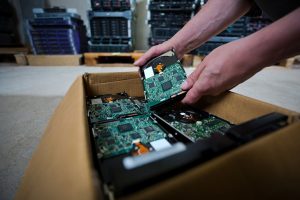
A solid-state media shredder can destroy a wide range of devices that store data electronically in flash memory. These may include solid-state drives, USB flash drives, memory cards, small storage modules and some data-bearing circuit boards.
However, suitability depends on the shredder’s design, input dimensions and output particle size.
A machine designed for standard 2.5-inch SSDs may not safely accept a mobile phone, a large circuit board or a very small microSD card. Similarly, a general hard drive shredder may damage an SSD without reducing its flash memory components to a sufficiently small size.
The key question is not simply whether a device can physically fit into the machine. The shredder must destroy the components that actually retain the information.
For flash-based media, these are usually NAND memory chips. The destruction process should break those components sufficiently to make data reconstruction infeasible for the organisation’s required security level.
Businesses should therefore identify each media type before shredding and confirm that the equipment is suitable for its construction, dimensions and data sensitivity.
How does a solid-state media shredder destroy data?
Solid-state media stores data electronically rather than magnetically.
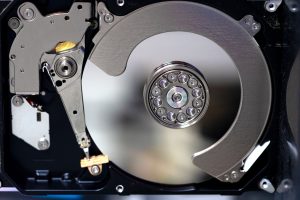
A traditional hard disk drive uses rotating platters coated with magnetic material. A solid-state drive uses flash memory chips mounted on a circuit board.
A solid-state media shredder cuts, tears or crushes the device and its internal components into small fragments. The intention is to destroy the flash memory packages that contain the stored information.
This differs from ordinary equipment damage.
Breaking a connector, bending a casing or snapping part of a circuit board may stop a device from working normally. It does not necessarily destroy every memory chip.
Specialist recovery techniques may still be able to access intact chips removed from damaged equipment. A secure shredding process therefore targets the complete data-bearing structure.
The process may include:
- Identifying and recording the device.
- Confirming that it is suitable for the shredder.
- Removing unsuitable batteries or external components where required.
- Loading the media into the machine.
- Shredding it to the required output size.
- Inspecting or verifying the result.
- Collecting the fragments securely.
- Updating the destruction record.
- Sending the material into an appropriate recycling route.
The correct process depends on the type of device and the shredder manufacturer’s operating requirements.
Which solid-state drives can be shredded?
Solid-state drives are one of the main media categories processed by specialist solid-state shredders.
They are available in several formats, and businesses should not assume that every machine accepts all of them.
2.5-inch SSDs
The 2.5-inch SSD is a common format used in laptops, desktop computers and servers.
It usually resembles a small hard disk drive externally but contains a circuit board and flash memory chips rather than magnetic platters.
A suitable shredder should break apart:
- The outer casing
- Internal circuit board
- NAND flash memory packages
- Controller components
- Connectors and supporting electronics
The casing material may be metal or plastic. The shredder must have enough capacity to process both the enclosure and internal components without allowing the memory-bearing parts to pass through intact.
Enterprise SSDs
Enterprise solid-state drives are used in data centres, storage arrays and high-performance servers.
They may be thicker, larger or more heavily constructed than standard consumer SSDs. Some use proprietary housings or form factors.
Before processing, the organisation should confirm:
- Maximum accepted drive dimensions
- Maximum thickness
- Whether caddies must be removed
- Whether heat sinks or brackets need to be detached
- Whether multiple drives can be loaded together
- The expected fragment size
- Whether further processing is required
Enterprise drives may contain numerous flash memory packages across both sides of a circuit board. The destruction method must reach all of them.
M.2 SSDs
M.2 drives are compact circuit-board storage devices used in laptops, desktops and servers.
They may be much smaller than a 2.5-inch drive and can easily pass through machinery that is not designed for narrow media.
A solid-state shredder should hold and process the entire module rather than allowing it to move around the cutting mechanism or emerge with large sections intact.
M.2 devices can contain memory chips on one or both sides. The operator should ensure the machine is approved for this media format.
NVMe drives
NVMe describes a storage interface and protocol rather than one physical size.
Many NVMe drives use the M.2 format, while enterprise NVMe devices may use larger add-in cards or specialised drive housings.
The physical construction must therefore be checked before shredding.
An organisation should not assume that all NVMe media can enter the same loading slot simply because the devices use the same data-access technology.
mSATA and other compact modules
Older laptops and specialist systems may contain mSATA drives or other small flash storage modules.
These devices are usually exposed circuit boards rather than fully enclosed drives.
They may be suitable for a solid-state media shredder if the equipment is designed to retain and reduce small components.
The organisation should include these formats in its media inventory rather than classifying all SSDs as a single standard size.
Can USB flash drives be shredded?
Yes, many solid-state media shredders can destroy USB flash drives.
A USB drive typically contains a small circuit board, flash memory package, controller and metal connector. Some devices also include plastic or metal casings.
Their compact size can make them easy to lose or mix with ordinary office waste. They should remain in secure containers before destruction and be counted or individually recorded where required.
The shredder must be capable of processing the complete device and reducing its flash memory components appropriately.
Why removing the casing may matter
Some USB drives have thick protective housings. Rugged or encrypted models may include reinforced enclosures designed to resist impact, water or tampering.
A provider may need to assess whether the complete drive can be processed safely or whether part of the casing must be removed first.
Any disassembly should take place within a controlled area. The internal circuit board should not become separated from the original asset record.
Can very small USB devices be missed?
Low-profile USB drives can be extremely small.
Equipment intended primarily for larger SSDs may not retain them consistently. The machine supplier should confirm the minimum accepted media size and whether a specialised loading mechanism is required.
The provider should also check the output rather than assuming that a completed cycle destroyed every item in a mixed batch.
Can SD and microSD cards be destroyed?
Yes, but the shredder must be designed for very small flash media.
SD cards and microSD cards contain compact embedded memory components. Their small size and durable construction can create particular destruction challenges.
A standard hard drive shredder may produce fragments that are too large for this type of media. It may also allow the card to pass through without receiving sufficient cutting action.
A specialist solid-state shredder should reduce the card and its internal memory structures to an output size appropriate for the organisation’s risk level.
Why microSD cards require careful handling
MicroSD cards are small enough to be concealed, dropped or lost during handling.
Secure procedures may include:
- Counting cards before processing
- Using sealed containers
- Releasing only small batches at a time
- Using a dedicated loading tray
- Checking the processing chamber
- Reconciling the final quantity
- Preventing fragments from escaping
Serial-number tracking may not always be practical because many small memory cards have limited visible identifiers. Controlled batch tracking may therefore be used.
The batch record should show how many cards were presented, how they were contained and whether the complete group was processed.
Can mobile phones be put into a solid-state media shredder?
Some specialist systems can process mobile phones, but not every solid-state shredder is designed to accept complete devices.
Mobile phones contain more than flash memory. They may also include:
- Lithium-ion batteries
- Screens and glass
- Cameras
- Metal frames
- Speakers
- Magnets
- Circuit boards
- SIM cards
- Removable memory cards
- Adhesives and plastics
Batteries create particular safety risks. They can ignite, rupture or release hazardous material when punctured or crushed.
A complete phone should never be placed into shredding equipment unless the machine is specifically designed for that purpose and the manufacturer’s instructions permit it.
What normally happens to phones before destruction?
A controlled process may involve:
- Recording the phone’s asset number, serial number or IMEI.
- Removing the SIM card.
- Removing any removable memory card.
- Disconnecting and removing the battery where required.
- Separating the main data-bearing circuit board.
- Processing the relevant storage components using suitable equipment.
- Directing the remaining materials into an appropriate recycling route.
Modern smartphones often use embedded storage chips soldered to the main board. Destroying only the screen or casing does not remove the data.
The provider should understand the device’s construction and identify the components that require physical destruction.
Can tablets be shredded?
As with mobile phones, tablets require careful assessment.
A complete tablet normally contains a large lithium-ion battery, display assembly, circuit board and embedded flash storage.
It should not be placed into a standard solid-state media shredder unless the machine is specifically approved for complete tablets.
In many cases, the device is dismantled so that:
- The battery is removed safely
- The main circuit board is isolated
- Removable memory is identified
- The data-bearing components are shredded
- Other parts enter an appropriate recycling process
This is more controlled than attempting to force a complete tablet through equipment intended for SSDs and small circuit boards.
Failed or damaged tablets should still be treated as data-bearing assets. A broken screen or non-functioning operating system does not mean the stored information has disappeared.
Can SIM cards be destroyed?
SIM cards contain integrated circuits and can hold limited subscriber or authentication information.
They are small enough to be processed by some specialist solid-state shredders, but the machine must be capable of handling compact chip-based media.
Organisations should consider whether SIM cards need individual tracking or controlled batch destruction.
Before disposal, businesses may also need to manage the associated mobile account, service contract and access credentials. Physical destruction of the SIM card does not automatically cancel the service or remove data held by the network provider.
SIM cards should therefore be handled as one part of a broader mobile-device decommissioning process.
Can circuit boards be processed?
Some solid-state media shredders can process circuit boards containing flash memory.
These may come from:
- Computers
- Servers
- Network appliances
- Storage controllers
- Printers and photocopiers
- Industrial equipment
- Embedded systems
- Mobile devices
- Specialist electronics
The shredder’s capacity will determine the maximum board dimensions and thickness.
Large boards may need to be cut down or processed using larger industrial equipment. The organisation should not break boards informally without identifying where the data-bearing memory components are located.
Not every circuit board stores user data
Some circuit boards contain only control electronics, while others hold configuration information, credentials, logs or user records.
The asset owner should identify which boards are data-bearing before destruction.
Where this information is unclear, a cautious approach may treat the board as potentially data-bearing until it has been assessed.
Embedded flash memory
Printers, network devices and specialist machinery may store information on chips soldered to internal circuit boards.
This data can include:
- Cached documents
- Network configuration
- User credentials
- Device certificates
- Access logs
- Operational data
- Customer or patient information
- Software licences
- Encryption keys
Removing an obvious hard drive may not remove all storage from the equipment. Embedded memory should form part of the asset-disposal assessment.
Can solid-state shredders destroy memory chips directly?
Some specialist shredders can process loose integrated circuits and flash memory packages.
This can be useful when chips have already been removed from a circuit board or when a device has been dismantled as part of a controlled destruction process.
Loose chips require careful handling because they are small, difficult to label and easy to lose.
They should be stored in sealed containers and processed under batch controls.
The shredder must produce fragments small enough to break the chip package and the internal semiconductor structure rather than merely scratching the exterior.
Direct chip destruction may be relevant for high-security applications or devices with unusual construction.
Can optical media be processed?
Optical media, such as CDs, DVDs and Blu-ray discs, does not use flash memory. Some multi-media shredders can process these items, but a machine designed only for solid-state electronic devices may not.
Organisations should check the equipment specification.
Optical discs can contain personal data, archived files, software, medical images and other sensitive information. Ordinary office paper shredders may include a disc slot, but the resulting fragments may not meet a business’s required security level.
Where optical media forms part of the project, it should be identified as a separate category and assigned to approved destruction equipment.
Can backup tapes be shredded?
Magnetic backup tapes are not solid-state media.
Some industrial destruction systems may physically shred tapes and cartridges, but they should not automatically be fed into an SSD shredder.
Tape construction can include long lengths of flexible magnetic material, plastic cartridges, metal components and internal mechanisms. This may create wrapping or jamming risks in unsuitable machinery.
Magnetic tapes can often be degaussed before physical destruction, provided the equipment is sufficiently powerful for the tape’s coercivity.
The provider should classify tapes separately and use a method designed for them.
Can traditional hard drives enter a solid-state shredder?
A solid-state shredder may not be designed to process complete magnetic hard disk drives.
Hard drives contain thick metal casings, motors, magnets and rigid platters. They may require a larger and more robust cutting system.
Attempting to process a hard drive through machinery designed for circuit boards or flash media can damage the equipment, cause a blockage or produce an inadequate result.
Many providers therefore operate separate machines for:
- Magnetic hard drives
- Solid-state drives and flash media
- Backup tapes
- Optical discs
- Larger electronic equipment
Media separation protects both the machinery and the security outcome.
Why is particle size important?
Solid-state storage components are small.
A shredding process that produces acceptable fragments from a hard drive may leave sections of an SSD’s NAND flash memory package comparatively intact.
The required particle size should reflect:
- The type of media
- The density and construction of the memory
- The sensitivity of the data
- The organisation’s security policy
- Applicable standards or contractual requirements
- The anticipated capability of a recovery attempt
There is no single fragment size that is automatically appropriate for every organisation and every device.
A lower-risk USB drive may be handled differently from media containing highly sensitive government, medical or financial information.
The organisation should define its required outcome and ask the provider what output the machine produces.
Smaller fragments are not the only consideration
Particle size is important, but so is consistency.
A shredder might produce mostly small fragments while occasionally allowing a larger piece to pass through. If that piece contains an intact memory chip, the overall result may be weakened.
The process should consider:
- Cutter design
- Screen size
- Number of shredding stages
- Inspection
- Oversized fragment recirculation
- Machine maintenance
- Loading technique
A high-security process may use more than one shredding stage to achieve a consistent output.
Why must batteries be removed?
Lithium-ion batteries can create fire, explosion and chemical risks when punctured, crushed or overheated.
They are common in:
- Mobile phones
- Tablets
- Laptops
- Portable media devices
- Some encrypted storage products
- Wearable technology
- Specialist electronic equipment
A solid-state shredder intended for SSDs and circuit boards may not have the fire suppression, guarding or extraction systems required for battery-containing devices.
Batteries should therefore be identified and removed by competent personnel unless the equipment is explicitly designed for complete battery-powered devices.
Damaged or swollen batteries require especially careful handling.
Security procedures should not create unnecessary safety risks. The destruction provider should plan both requirements together.
How should mixed media be prepared?
Organisations should separate storage devices before the destruction visit where practical.
A mixed box of hard drives, SSDs, memory cards, phones and tapes creates delays and increases the chance of an unsuitable method being used.
A useful classification system might include:
- Magnetic hard drives
- Enclosed SSDs
- M.2 and small storage modules
- USB drives
- SD and microSD cards
- Mobile phones
- Tablets
- Data-bearing circuit boards
- Backup tapes
- Optical discs
- Unknown or unusual devices
Each category can then be assigned to suitable machinery.
Unknown devices should be assessed rather than processed by assumption.
Asset records should identify the media type
The destruction schedule should record more than a generic description such as “IT equipment”.
It may include:
- Device category
- Manufacturer
- Model
- Serial number
- Internal asset number
- Storage technology
- Required destruction method
- Battery status
- Processing result
This supports both security and efficient project planning.
How are small devices tracked?
Very small media can be difficult to identify individually.
USB drives may have serial numbers, but microSD cards, SIM cards and loose memory chips may not have practical identifiers.
Controlled batch tracking may be used instead.
A strong batch process can involve:
- Counting the devices.
- Placing them into a sealed container.
- Assigning a unique batch number.
- Recording the client, date and media type.
- Moving the sealed container to the processing area.
- Loading and destroying the complete contents.
- Checking the chamber and output.
- Recording completion on the destruction certificate.
The batch should remain secure throughout the process.
If individual device tracking is essential, the organisation may use internal labels, photographs or other project-specific references before destruction.
What happens to the material after shredding?
The fragments are collected securely and directed into an appropriate electronic waste or material-recovery route.
Solid-state media can contain:
- Circuit-board material
- Metals
- Plastics
- Connectors
- Silicon components
- Resins
- Glass fibres
- Small electronic components
The recycling process may separate recoverable metals and treat the remaining fractions through specialist facilities.
Data security should be confirmed before the fragments enter a wider material stream.
The provider should explain:
- How the fragments are contained
- Whether further size reduction is required
- Where the material is transported
- Which recycling partners are used
- What documentation is supplied
- How residual waste is managed
A certificate of destruction and a recycling record perform different functions. The first relates to data security, while the second relates to the physical material.
How can organisations verify that the correct devices were destroyed?
Verification should connect the original asset to the completed process.
Evidence may include:
- Serial-number schedules
- Batch records
- Chain-of-custody documentation
- Machine-cycle logs
- Operator verification
- Witnessed destruction
- Exception reports
- Certificate of destruction
- Recycling or waste-transfer records
The final report should identify devices that could not be processed.
For example, a complete phone might be rejected because its battery had not been removed. A large enterprise SSD might not fit the available machine. A backup tape might need degaussing rather than solid-state shredding.
These items should remain securely controlled and appear on an exception report. They should not be marked as destroyed simply because they were included in the original collection.
What should businesses ask a destruction provider?
Before arranging solid-state media shredding, businesses should ask:
- Which device types can your equipment accept?
- What are the maximum and minimum dimensions?
- Can you process 2.5-inch, M.2 and enterprise SSDs?
- Can you shred USB drives and memory cards?
- How do you handle phones and tablets?
- Must batteries be removed first?
- What particle size does the shredder produce?
- How do you deal with oversized fragments?
- Can assets be tracked by serial number?
- How are small media batches recorded?
- Can destruction take place on-site?
- What certificate and audit records are supplied?
- What happens to the fragments afterwards?
Clear answers help the organisation compare providers based on actual capability rather than broad claims about secure destruction.
Frequently Asked Questions
Can a solid-state media shredder destroy every type of SSD?
Not automatically. SSDs vary in size and construction, so the shredder must be approved for the specific formats being processed.
Can USB memory sticks be shredded with their plastic casings attached?
Often yes, but suitability depends on the casing thickness and the machine design. Rugged or reinforced devices may require assessment or partial disassembly.
Are microSD cards too small for shredding?
They can be processed using specialist equipment designed to retain and reduce very small flash media. A general hard drive shredder may not be suitable.
Can a complete laptop be placed into an SSD shredder?
No, not unless the equipment has been specifically designed for complete laptops. Normally, the SSD and any other data-bearing components are removed and destroyed separately.
Does shredding a mobile phone destroy all its data?
Only when the data-bearing storage components are sufficiently destroyed. Complete phones also contain batteries, which often need to be removed before processing.
Can RAM modules be shredded?
RAM is generally volatile memory and does not normally retain user data after power is removed in the same way as flash storage. However, modules may still be processed under some security policies. Equipment suitability should be confirmed.
Can encrypted SSDs be recycled without shredding?
Potentially, if cryptographic erasure has been implemented correctly, all relevant keys are destroyed and the result satisfies the organisation’s policy. High-risk, failed or unverifiable devices may still require physical destruction.
Can one certificate cover different solid-state media types?
Yes, provided the certificate or accompanying schedule clearly identifies the media categories, quantities, asset references and destruction methods used.
Is crushing the same as shredding?
No. Crushing applies force to deform or puncture a device. Shredding cuts it into multiple smaller fragments. Depending on the media and security requirements, crushing may be used before shredding.
Can shredded solid-state material be recycled?
Yes. Once the data-bearing components have been securely destroyed, the fragments can enter an appropriate electronic recycling and material-recovery route.
A solid-state media shredder can destroy many flash-based devices, including standard and enterprise SSDs, M.2 modules, USB drives, memory cards and some data-bearing circuit boards.
Some machines may also process SIM cards, loose memory chips and other compact storage components. Complete phones, tablets and battery-powered devices require additional assessment because their batteries and construction can create significant safety risks.
The most important consideration is whether the machine reliably destroys the memory components, not simply whether the device fits into its loading slot.
Businesses should classify their media, confirm equipment compatibility, define the required output size and maintain an audit trail connecting each asset or controlled batch to the completed destruction process.
Varese Secure supports organisations requiring secure destruction of SSDs, flash media and mixed data-bearing assets. To discuss suitable processing methods, on-site destruction or asset tracking for your devices, contact the team.
Contact Varese Secure Ltd
Phone: 01489 854 131
Email: sales@varese-secure.co.uk
Find out more: https://varese-secure.co.uk/
-
What Should Compliance Teams Check Before Approving a Data Destruction Process?
Approving a data destruction process should involve more than checking whether a supplier promises to “securely destroy” old IT equipment. Compliance teams need to understand what is being destroyed, which destruction method will be used,…
-
What Is Chain of Custody in Secure Data Destruction?
Chain of custody in secure data destruction is the documented record of who controlled data-bearing assets, where those assets were held and when responsibility passed from one person, team or organisation to another. Its purpose…
-
How Strong Does a Degausser Need to Be to Destroy Hard Drive Data?
There is no single magnetic-field strength that automatically makes a degausser suitable for every hard drive. The important relationship is between the magnetic field produced by the degausser and the coercivity of the magnetic media…