Yes, hard drive destruction can be carried out at your organisation’s premises using specialist mobile equipment and a controlled on-site process.
On-site hard drive destruction allows data-bearing assets to remain within the organisation’s location until they have been physically destroyed. This can be particularly valuable for businesses that handle sensitive, confidential or regulated information and want to minimise the risks associated with transporting intact storage media.
The service may involve hard drive shredding, crushing, degaussing or a combination of approved methods, depending on the type of device and the organisation’s security requirements.
However, simply bringing a machine to a site is not enough to create a secure destruction process. Organisations should also consider how assets are identified, transferred, witnessed, processed and recorded. Effective on-site destruction should provide a clear chain of custody and reliable evidence showing what happened to each item.
How does on-site hard drive destruction work?
The process normally begins with planning.
Before destruction takes place, the organisation and its chosen provider should establish what types of assets will be processed, how many devices are involved and where the work can be completed securely.
The provider may need information about:
- The number of hard disk drives
- Whether SSDs or other flash-based media are included
- The physical sizes and formats of the devices
- Whether drives have already been removed from computers or servers
- The required destruction method
- Asset-recording requirements
- Site access and security restrictions
- Whether staff need to witness the process
This preparation helps ensure that the correct equipment, operators and documentation are available on the day.
Assets are identified and prepared
The organisation should first identify the data-bearing assets due for destruction.
Depending on its internal policies, this may involve recording serial numbers, asset tags, equipment descriptions or departmental ownership. Devices may be placed in sealed containers or held within a secure storage area until the destruction team arrives.
The assets should not be left unattended in an open loading area, corridor or general waste-storage location. Until they have been destroyed, the drives may still contain recoverable data.
Good preparation helps prevent confusion between equipment that is awaiting destruction and hardware that is still in active use or scheduled for redeployment.
The destruction area is secured
The provider will need a suitable working area for its mobile equipment.
This may be a designated external area, secure loading bay, service yard or another controlled part of the premises. The exact arrangement will depend on the machinery being used, the site layout and the organisation’s own security procedures.
Access should be restricted to authorised personnel. The processing area should also allow the assets to move directly from secure storage into the destruction equipment without unnecessary handling.
For higher-security environments, the organisation may choose to appoint witnesses from its IT, facilities, compliance or information-security team.
Each item enters the destruction process
The hard drives are then passed through the selected destruction equipment.
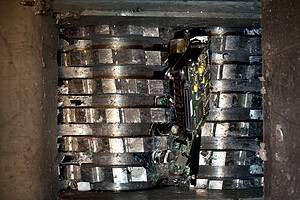
A hard drive shredder cuts or tears the drive into smaller pieces, damaging the casing, internal platters, circuit board and other components. A crusher applies concentrated force to deform or penetrate the drive, while a degausser uses a powerful magnetic field to destroy the magnetic information stored on compatible media.
The appropriate method depends partly on the storage technology.
Traditional hard disk drives store data magnetically. They can therefore be suitable for degaussing as well as physical destruction.
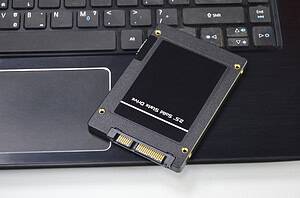
Solid-state drives store information on flash memory chips. They cannot be reliably erased through degaussing and require a physical process designed to destroy the memory-bearing components.
Mixed media should be separated and processed using the correct equipment.
Destroyed material is contained and removed
After processing, the fragments should be collected securely.
Physical destruction does not remove the organisation’s responsibility for the resulting materials. The provider should explain how fragments will be contained, transported and passed into an appropriate recycling or recovery route.
The organisation should also understand whether the material leaves the premises immediately or remains securely contained until collection.
Why might an organisation choose on-site destruction?
The main advantage is that intact data-bearing assets do not need to leave the premises before destruction.
This reduces one stage of the asset journey and may make it easier for the organisation to supervise what happens.
Reduced transport risk
When hard drives are collected intact, they must be securely packaged, loaded, transported, received and stored before destruction.
A professional off-site process can manage these stages securely, but each transfer must still be controlled and documented.
On-site destruction removes the need to transport readable drives to another processing facility. Only destroyed fragments leave the location.
This can be useful when the organisation’s risk assessment identifies transportation of intact media as a significant concern.
Greater visibility
On-site processing gives authorised employees the opportunity to witness destruction directly.
For some organisations, this provides reassurance that the assets listed for disposal have entered the machinery and have been physically destroyed.
Witnessing can also support internal sign-off procedures. An IT manager, data protection lead or compliance representative may be able to confirm that the destruction took place in accordance with the organisation’s disposal policy.
However, observation should not replace documentation. Watching a batch of hard drives being shredded does not necessarily prove which individual assets were included. Asset records and destruction evidence are still important.
Faster completion of the chain of custody
With on-site destruction, the chain of custody can conclude at the organisation’s premises.
The asset moves from internal secure storage to the authorised destruction team and then directly into the destruction machinery.
This can simplify the process for organisations that do not permit data-bearing media to leave controlled locations while it remains intact.
Support for strict internal policies
Some companies, public-sector bodies and regulated organisations have policies requiring specific categories of data storage to be destroyed on-site.
This may apply to drives containing highly sensitive commercial information, personal data, financial records, legal material or confidential client information.
On-site destruction can help such organisations comply with their own internal controls, provided the service is appropriately documented and the destruction method is suitable for the devices involved.
Which organisations benefit most from on-site hard drive destruction?
On-site destruction can be suitable for organisations of different sizes, but it is particularly relevant where data sensitivity, asset volume or operational controls justify bringing specialist equipment to the premises.
Data centres and IT departments
Data centres and large IT departments may regularly replace failed, obsolete or end-of-life storage devices.
These environments can generate significant volumes of hard drives and SSDs. They may also operate strict controls governing how storage media moves through secure areas.
On-site destruction allows decommissioned assets to be processed in batches without leaving the site intact. Asset numbers and serial numbers can be recorded as part of the workflow.
The service may also reduce the need to accumulate large volumes of failed drives while waiting for an off-site collection.
Financial institutions
Banks, insurers, accountancy organisations and financial service providers may hold extensive personal, transactional and commercial information.
Even an old or faulty hard drive may contain customer records, internal reports, account data or security information.
On-site destruction can offer additional oversight when these assets are retired, particularly where the organisation requires witnessed processing and a detailed audit trail.
Healthcare providers
Healthcare organisations may hold patient records, appointment information, correspondence and other confidential material.
Although digital systems are increasingly centralised, local computers, servers, diagnostic equipment and removable devices may still contain sensitive information.
On-site destruction can help healthcare organisations maintain control over media that should not leave the premises in a readable condition.
Legal and professional services firms
Solicitors, barristers, consultants and other professional service providers may store commercially sensitive documents and confidential client communications.
Hard drives that appear obsolete or damaged can still present a data risk. Destroying them at the premises can help preserve confidentiality throughout the disposal process.
Government and public-sector organisations
Public-sector bodies may handle personal information, internal records and security-sensitive material across a wide range of systems.
On-site destruction can be appropriate where internal procedures require controlled access, witnessing or immediate destruction before assets are removed from a secure location.
Businesses undergoing office closures or IT upgrades
On-site services can also be useful during large IT refreshes, office relocations, mergers or site closures.
These projects can produce a sudden volume of redundant equipment. Processing the data-bearing components at the premises can prevent unsecured drives from being mixed with general electrical equipment, office waste or reusable hardware.
What security controls should be used during on-site destruction?
The process should remain controlled from the moment the destruction provider arrives until the final fragments are removed.
Authorised access
Only authorised personnel should handle or observe the assets.
The organisation should confirm the identities of the destruction team and ensure that they follow site-access procedures. Visitors may need to sign in, wear identification or remain accompanied while inside controlled areas.
Clear transfer of responsibility
There should be a documented handover between the organisation and the destruction provider.
This record may include the quantity of assets transferred, their identifiers, the date, the location and the names of the responsible parties.
Where individual serial-number tracking is required, the provider should confirm how each drive will be matched to the final destruction record.
Secure movement within the premises
Assets should move through a planned route from storage to destruction.
This helps prevent drives from being misplaced or becoming mixed with other equipment. Containers should remain closed or supervised until processing begins.
For larger batches, controlled staging areas may be used so that only a manageable number of assets are removed from secure storage at one time.
Appropriate machinery
The equipment must be suitable for the media being destroyed.
A hard drive shredder designed for magnetic drives may not always produce the required fragment size for compact flash memory chips. Similarly, a degausser will not destroy data stored on an SSD.
The provider should identify and separate different media types before processing.
Safe operating conditions
Industrial destruction machinery creates operational risks as well as security considerations.
The working area must allow safe equipment use and keep unauthorised staff away from moving components, loading points and discharged fragments.
Where degaussing equipment is used, the site arrangement may also need to account for the powerful magnetic field and its potential effect on nearby electronic devices or magnetic media.
Can hard drives be tracked individually during destruction?
Yes. Individual tracking is possible and may be necessary where the organisation requires an asset-level audit trail.
The process normally uses serial numbers, asset tags or another unique identifier.
A typical tracked workflow may involve:
- Scanning or recording the drive identifier.
- Checking the asset against the approved destruction list.
- Moving the drive into the secure processing area.
- Recording the destruction method.
- Confirming successful processing.
- Including the identifier in the final destruction report.
This approach allows the organisation to demonstrate that a specific device was processed rather than merely recording the total number of drives destroyed.
When is batch-level tracking sufficient?
Some organisations may choose batch-level records when the assets are lower risk or do not carry individual identifiers.
A batch record may show that a sealed container held a stated number of drives and that the whole batch was destroyed at a particular time and location.
Whether this is sufficient depends on the organisation’s policies, the sensitivity of the data and any contractual or regulatory obligations.
Asset-level tracking generally provides stronger evidence, but it also requires more preparation and processing time.
Can employees witness hard drive destruction?
Yes. Witnessed destruction is one of the main reasons organisations select an on-site service.
The organisation should decide in advance who needs to attend. This may be a representative from:
- IT
- Information security
- Compliance
- Data protection
- Facilities management
- Internal audit
- Senior management
The witness should understand what they are expected to verify.
For example, they may confirm that the correct assets were transferred, that the approved machinery was used and that no intact drives remained at the end of the process.
It may not be practical for a witness to observe every detail during a very large project. In these cases, serial-number records, controlled staging and reconciliation of the final asset list become especially important.
Video or photographic evidence may also be available in some circumstances, but this should be agreed beforehand. Filming may be restricted within data centres, government facilities or other security-sensitive premises.
Is on-site destruction automatically GDPR compliant?
No destruction method is automatically GDPR compliant simply because it takes place at the organisation’s premises.
UK data protection obligations require organisations to handle personal data securely and take appropriate steps when that information is no longer required. The suitability of the disposal process depends on the risks involved and the controls applied.
On-site destruction may support a compliant disposal process because it can:
- Keep intact media within the organisation’s control
- Reduce transportation of readable assets
- Provide direct oversight
- Support traceable asset records
- Produce evidence of completed destruction
However, compliance also depends on the organisation’s wider arrangements.
These include its retention policy, authorisation process, supplier checks, contracts, staff responsibilities and record keeping.
A certificate of destruction is useful evidence, but it cannot correct a poorly controlled process. The organisation should be able to show why the chosen method was appropriate and how it was carried out.
What documentation should be provided afterwards?
The provider should issue documentation that reflects the agreed level of tracking.
This may include a certificate of destruction, asset register, serial-number report, service record or waste-transfer documentation.
Certificate of destruction
A certificate should identify the client, the date and location of the work, the destruction method and the assets or batch covered.
The certificate provides evidence that the service was completed. It should be retained with the organisation’s information-governance or asset-disposal records.
Asset-level destruction report
Where drives are individually tracked, the final report should list their identifiers and confirm their destruction status.
The organisation can compare this report against its original asset register to identify any missing, duplicated or unmatched items.
Chain-of-custody records
A chain-of-custody record documents how the assets moved from the organisation’s control into the destruction process.
For an on-site service, this chain may be relatively short, but it should still show who transferred and received the assets.
Material and recycling records
Organisations may also require information about how the destroyed fragments were handled after processing.
This supports responsible waste management and can help the organisation reconcile its data-security and environmental objectives.
What happens if some devices cannot be destroyed on-site?
A provider should assess the media before work begins, but unexpected devices may still be found within a mixed batch.
For example, the organisation may present:
- SSDs requiring a different shredder
- Mobile phones with embedded flash storage
- Backup tapes requiring degaussing
- Large enterprise drives that do not fit the equipment
- Circuit boards containing memory chips
- Damaged equipment that cannot be loaded safely
These assets should not be pushed through unsuitable machinery merely to complete the batch.
They should be separated, recorded and processed using an appropriate method. Where the necessary equipment is not available on-site, the provider should explain the secure alternative and obtain authorisation before removing intact media.
Is on-site destruction better than off-site destruction?
Neither method is universally better.
The right choice depends on the organisation’s risks, operational requirements, asset volumes and policies.
On-site destruction may be preferred when:
- Drives must not leave the premises intact
- Staff need to witness the process
- A large quantity of media is ready at one location
- Internal policy requires immediate destruction
- The site can accommodate mobile equipment safely
Off-site destruction may be more practical when:
- Asset quantities are relatively small
- Several sites require collections
- The premises cannot accommodate equipment
- Regular scheduled collections are preferred
- A secure transport and processing chain is acceptable
A professional off-site service should still provide secure containers, controlled collection, chain-of-custody records and destruction evidence.
The decision should be based on risk and practicality rather than the assumption that one method is always more secure.
Preparing for hard drive destruction at your premises
Good preparation helps the service run efficiently and reduces the chance of assets being missed.
Before the scheduled date, the organisation should:
- Confirm the approved asset list
- Separate hard drives from SSDs and other media where possible
- Record serial numbers if individual tracking is required
- Remove drives from equipment if this forms part of the agreement
- Place assets in secure, clearly marked containers
- Identify the authorised handover representative
- Reserve a suitable processing area
- Confirm witness requirements
- Check site access for the destruction vehicle or machinery
- Establish how any exceptions will be handled
The provider should also explain what it needs from the organisation before arrival.
Clear responsibilities prevent last-minute uncertainty about who will remove drives, scan identifiers, approve exceptions or sign the final paperwork.
Frequently Asked Questions
Can hard drive shredding be completed inside an office building?
It depends on the equipment, access and safety requirements. Mobile shredding may take place in an external service area or secure loading bay rather than within an occupied office. The provider should assess the location before the service.
Do hard drives need to be removed from computers before on-site destruction?
Usually, drives must be accessible before they enter the destruction machine. Some providers may offer asset disassembly as part of the service, but this should be confirmed when the work is arranged.
Can SSDs be destroyed during the same visit?
Yes, provided the correct specialist equipment is available. SSDs require physical destruction of their flash memory components and should not be processed through a degausser.
Will the organisation receive a certificate on the same day?
The timing depends on the reporting process and the amount of asset data being reconciled. A service record may be completed at the premises, with a detailed certificate and serial-number report supplied after the records have been checked.
Can damaged or non-working hard drives still be destroyed on-site?
Yes. A drive does not need to function before it can be shredded, crushed or degaussed. In fact, failed drives should still be treated as data-bearing assets because their information may remain recoverable.
Is there a minimum number of drives for on-site destruction?
Minimum quantities depend on the provider, location, equipment and service arrangements. Organisations should discuss their asset volume and security requirements to determine whether on-site or secure off-site destruction is more practical.
On-site hard drive destruction gives organisations the option to keep sensitive media at their premises until it has been physically processed. It can reduce transport risk, support witnessed destruction and create a direct chain of custody from internal storage to final destruction.
The security of the service still depends on careful planning. The provider should use suitable equipment, distinguish between magnetic and solid-state media, control access, track assets and issue accurate documentation.
For organisations handling confidential or regulated information, these controls provide more meaningful assurance than simply seeing damaged hardware. The goal is a complete and traceable process showing that the correct assets were securely handled and permanently destroyed.
Varese Secure provides secure data destruction services for organisations requiring controlled handling, clear traceability and certified processing. To discuss whether destruction at your premises is suitable for your assets and security requirements, contact the team.
Contact Varese Secure Ltd
Phone: 01489 854 131
Email: sales@varese-secure.co.uk
Find out more: https://varese-secure.co.uk/
-
What Types of Devices Can a Solid-State Media Shredder Destroy?
A solid-state media shredder can destroy a wide range of devices that store data electronically in flash memory. These may include solid-state drives, USB flash drives, memory cards, small storage modules and some data-bearing circuit…
-
What Happens to Hard Drive Materials After Shredding?
After hard drive shredding, the remaining materials are collected, secured and prepared for specialist recycling or material recovery. A shredded hard drive does not simply become general waste. It is broken into a mixture of…
-
How Are Assets Tracked During On-Site Destruction?
Assets are tracked during on-site destruction by recording each data-bearing device before it enters the destruction process, maintaining control over its movement, confirming that it has been processed and reconciling the final records against the…